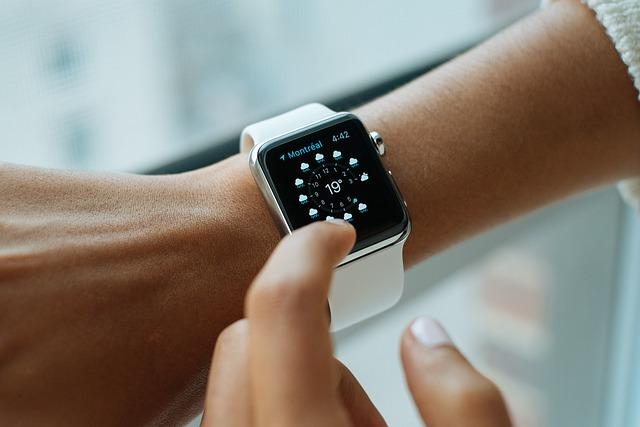
Does Apple Watch Detect Exercise Automatically? Fitness Tracking Tips
Are you curious about whether your Apple Watch can automatically detect your exercise activities? Wonder no more! In this article, we will explore the capabilities of the Apple Watch when it comes to tracking your fitness activities. From discussing the possibility of automatic exercise detection to providing valuable fitness tracking tips, you will be informed and empowered to make the most of your wearable device. Let’s delve into the world of fitness tracking with the Apple Watch.
Contents
- – Understanding How Apple Watch Detects Exercise Automatically
- – Maximizing Fitness Tracking Features with Apple Watch
- – Customizing Exercise Goals and Notifications on Apple Watch
- – Utilizing the Heart Rate Sensor for Accurate Workout Tracking
- – Monitoring Different Types of Workouts with Apple Watch
- – Tips for Improving Exercise Detection Accuracy on Apple Watch
- – Setting Up and Syncing Apple Watch with Fitness Apps
- – Integrating Nutrition and Sleep Tracking with Apple Watch’s Fitness Features
- In Retrospect
– Understanding How Apple Watch Detects Exercise Automatically
The Apple Watch is equipped with advanced sensors that allow it to detect exercise automatically. This feature is known as the Workout Detection feature, which uses a combination of heart rate monitoring, motion sensors, and algorithms to recognize when you are engaged in physical activity.
When you start moving, the Apple Watch will monitor your heart rate and motion to determine if you are exercising. If it detects that you are active for a certain period of time, it will prompt you to start a workout session. This can be particularly helpful if you forget to start a workout manually, as the Apple Watch will ensure that your exercise is accurately tracked.
Additionally, the Apple Watch can differentiate between different types of exercises, such as running, walking, or swimming. This allows it to provide more accurate data on your workouts and help you achieve your fitness goals more effectively. With the ability to automatically detect exercise, you can focus on your workout without worrying about manually starting a session on your device.
In conclusion, the Apple Watch’s Workout Detection feature is a powerful tool that can enhance your fitness tracking experience. By leveraging its advanced sensors and algorithms, the Apple Watch can accurately detect exercise automatically and provide valuable insights into your physical activity. So, next time you hit the gym or go for a run, trust in your Apple Watch to keep track of your workouts effortlessly.

– Maximizing Fitness Tracking Features with Apple Watch
To maximize the fitness tracking features on your Apple Watch, it’s essential to understand how to make the most out of its capabilities. One common question many users have is whether the Apple Watch can detect exercise automatically. The answer is yes! The Apple Watch uses advanced sensors to detect when you’re moving and exercising, automatically tracking your workouts and giving you credit for the activity.
Here are some fitness tracking tips to help you get the most out of your Apple Watch:
- Make sure to set up your fitness goals and preferences in the Activity app on your iPhone. This will help the Apple Watch tailor its tracking to your specific needs and preferences.
- Take advantage of the various workout modes available on the Apple Watch, such as running, cycling, swimming, and more. This will ensure that your workouts are accurately tracked and recorded.
- Use the Apple Watch’s heart rate monitor to keep track of your heart rate during workouts. This can help you gauge your intensity level and optimize your workouts for maximum benefits.
- Don’t forget to check your progress and trends in the Fitness app on your iPhone. This will give you insights into your activity levels and help you stay motivated to reach your fitness goals.
By following these tips and utilizing the fitness tracking features on your Apple Watch, you can take your workouts to the next level and achieve your fitness goals more effectively. So, lace up your sneakers, strap on your Apple Watch, and get ready to crush your fitness goals!
– Customizing Exercise Goals and Notifications on Apple Watch
When it comes to customizing exercise goals and notifications on your Apple Watch, you have full control over your fitness tracking experience. Whether you prefer to set specific goals for different types of workouts or receive reminders throughout the day to stay active, Apple Watch has you covered.
By accessing the Activity app on your Apple Watch or iPhone, you can easily adjust your exercise goals to better suit your needs. From setting a target number of active calories to tracking your standing hours, the customization options are endless. You can even personalize your workout metrics for activities like running, cycling, or swimming.
Additionally, Apple Watch offers customizable notifications to keep you motivated and on track with your fitness goals. Whether you want to receive reminders to stand up and move around or notifications when you’re close to completing a workout goal, you can tailor these alerts to fit your lifestyle.
Overall, with the ability to customize exercise goals and notifications on your Apple Watch, you can enhance your fitness tracking experience and stay focused on reaching your health and wellness goals.

– Utilizing the Heart Rate Sensor for Accurate Workout Tracking
The Apple Watch is equipped with a powerful heart rate sensor that allows for accurate workout tracking. By utilizing this sensor, you can ensure that your fitness data is precise and reliable. Whether you’re running, cycling, or doing yoga, the heart rate sensor can provide valuable insights into your exercise intensity and overall performance.
One of the key features of the Apple Watch is its ability to detect exercise automatically. This means that the watch can recognize when you’re engaging in physical activity and will start tracking your workout data accordingly. To make the most of this feature, it’s important to ensure that your watch is properly calibrated and that you’re wearing it correctly.
Here are some fitness tracking tips to help you get the most out of your Apple Watch:
– **Ensure a snug fit**: Make sure that your Apple Watch is securely fastened to your wrist to ensure accurate heart rate tracking.
– **Calibrate your watch**: Take the time to calibrate your watch for optimal performance during workouts.
– **Check your data**: Regularly review your workout data to track your progress and make adjustments to your fitness routine.
- **Utilize workout apps**: Explore the various workout apps available on the Apple Watch to find one that suits your fitness goals and preferences.
By taking advantage of the heart rate sensor and other advanced features of the Apple Watch, you can track your workouts with precision and stay motivated to reach your fitness goals.
– Monitoring Different Types of Workouts with Apple Watch
Apple Watch is a powerful tool for tracking various types of workouts, from running and cycling to swimming and yoga. One of the most convenient features of the Apple Watch is its ability to automatically detect certain types of exercise, making it easy to keep track of your fitness activities throughout the day.
When you enable the Workout Detection feature on your Apple Watch, it will automatically detect when you start a workout and begin tracking your activity. This is especially useful for those spontaneous workouts or when you forget to manually start a session. The Apple Watch can detect workouts like walking, running, cycling, and even swimming, allowing you to focus on your exercise without worrying about logging it.
For activities that the Apple Watch may not automatically detect, such as weightlifting or yoga, you can still manually start a workout session using the Fitness app. This way, you can ensure that all your workouts are accurately recorded and tracked for a complete view of your fitness progress.
Whether you’re a seasoned athlete or just starting your fitness journey, the Apple Watch’s fitness tracking capabilities make it a valuable tool for monitoring different types of workouts and staying motivated to reach your health goals.

– Tips for Improving Exercise Detection Accuracy on Apple Watch
When it comes to tracking exercise on your Apple Watch, there are a few tips and tricks you can use to improve accuracy. By following these suggestions, you can ensure that your device is properly detecting and recording your workouts.
1. Choose the right workout: Make sure to select the correct workout type on your Apple Watch before starting your exercise. This will help the device better track your movements and provide more accurate data.
2. Calibrate your watch: Consider calibrating your Apple Watch for improved accuracy. This involves walking or running a certain distance with both your phone and watch, allowing the device to better understand your stride length and patterns.
3. Check your settings: Take a look at your settings to ensure that your Apple Watch is set up to accurately track your exercise. Make sure that your height, weight, and other relevant information is properly inputted for more precise measurements.
4. Wear your watch correctly: For the best results, wear your Apple Watch snugly on your wrist, with the heart rate sensor in contact with your skin. This will help the device accurately track your heart rate and movements during exercise.
– Setting Up and Syncing Apple Watch with Fitness Apps
Apple Watch has the capability to detect certain types of exercises automatically, making it easier for users to track their fitness goals without having to manually start a workout session. However, not all exercises are automatically detected by the Apple Watch. By default, the watch can detect activities like running, walking, and cycling, but users can also enable additional activities such as swimming, rowing, and elliptical training.
For those who prefer to manually start workout sessions, the Apple Watch offers a variety of fitness tracking apps that can be synced with the device. Some popular fitness apps compatible with the Apple Watch include Strava, MyFitnessPal, and Nike Training Club. These apps allow users to track and analyze their workout data, set fitness goals, and receive personalized coaching and recommendations.
Setting up and syncing fitness apps with the Apple Watch is a simple process. Users can download the desired fitness app from the App Store on their iPhone, then open the app and follow the on-screen instructions to connect it to their Apple Watch. Once the app is synced, users can easily start tracking their workouts and access their fitness data directly from their wrist.
With the ability to automatically detect exercises and sync with a variety of fitness apps, the Apple Watch is a powerful tool for anyone looking to improve their health and fitness. Whether you prefer automatic tracking or manual input, the Apple Watch offers a seamless and comprehensive fitness tracking experience that can help you stay motivated and reach your goals.

– Integrating Nutrition and Sleep Tracking with Apple Watch’s Fitness Features
One of the remarkable features of the Apple Watch is its ability to automatically detect when you’re exercising. This is thanks to the advanced sensors and algorithms built into the device. Whether you’re going for a run, taking a brisk walk, or hitting the gym for a workout session, your Apple Watch can accurately track your activity and provide you with useful insights.
To make the most out of your fitness tracking experience with the Apple Watch, here are some tips to consider:
– Make sure to wear your Apple Watch snugly on your wrist for optimal sensor readings.
– Stay connected to your iPhone or a Wi-Fi network to ensure that your data is synced and up to date.
- Customize your workout metrics in the Apple Watch app to suit your personal fitness goals and preferences.
– Don’t forget to enable notifications and reminders to keep you motivated and on track with your fitness routine.
By integrating nutrition and sleep tracking with the Apple Watch’s fitness features, you can gain a comprehensive overview of your overall health and well-being. Paying attention to these factors alongside your exercise routine can help you make informed decisions to improve your lifestyle and achieve your fitness goals.
In Retrospect
In conclusion, the Apple Watch does have the capability to detect exercise automatically through its built-in sensors and algorithms. However, it is important to keep in mind that it may not always be 100% accurate, so it’s a good idea to double-check and manually input your workouts to ensure accuracy. By following these fitness tracking tips, you can make the most out of your Apple Watch’s exercise detection feature and stay on top of your fitness goals. Remember to stay active, stay motivated, and keep striving towards a healthier lifestyle. Happy exercising!
Get our latest guides, news, and insights highlighted in your Google Search & AI Overviews.