How To Reset Casio Ga 2100 Watch
Comprehensive Guide and Videos of How to Reset Casio GA-2100 Watch
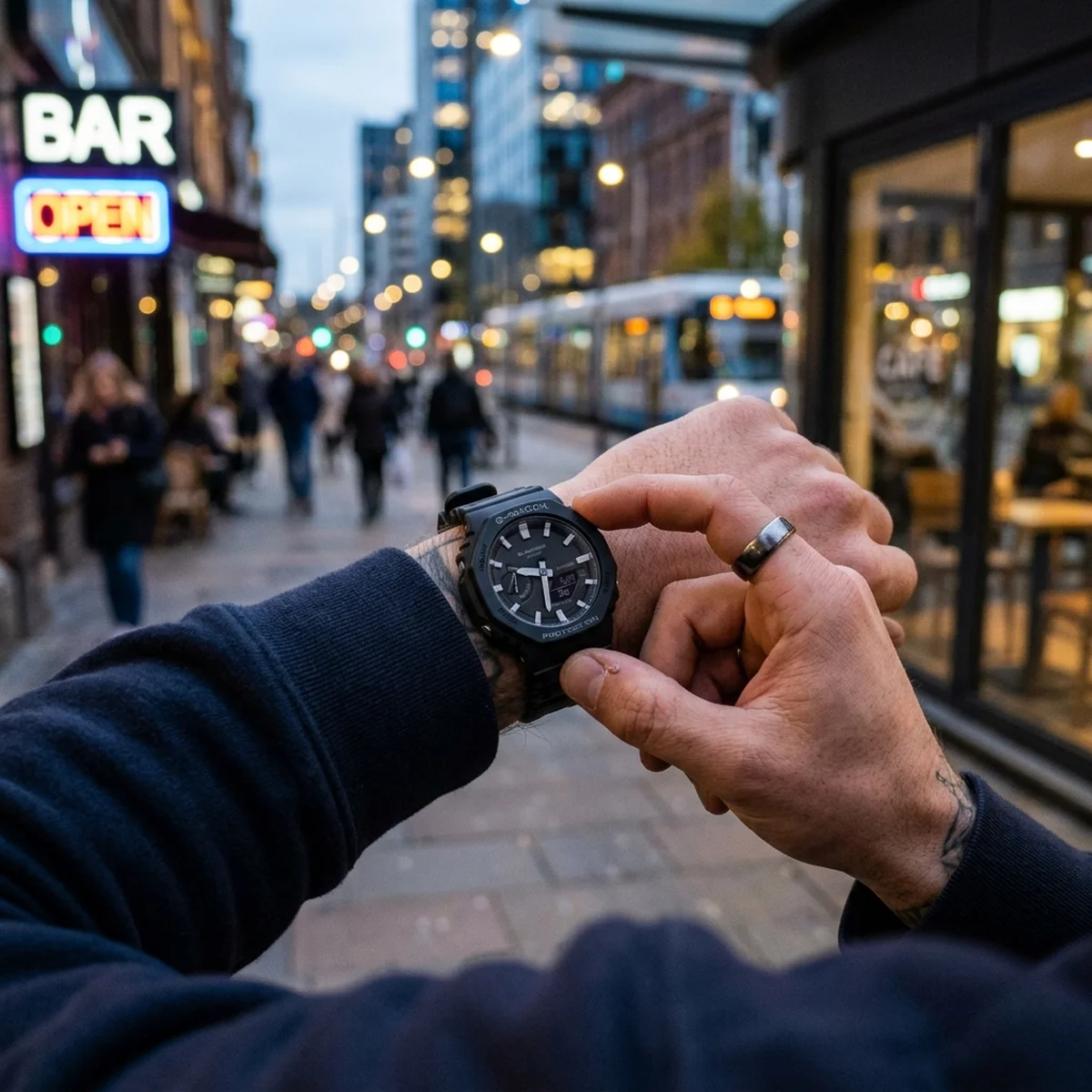
The Casio G-Shock GA-2100, affectionately known in the watch community as the “CasiOak” due to its octagonal bezel reminiscent of luxury sports watches, has become one of the most popular timepieces of the modern era. Combining rugged durability with a sleek, low-profile design, it perfectly bridges the gap between analog aesthetics and digital functionality. However, because it relies on both analog hands and an LCD digital screen, there are times when these two time-telling methods fall out of sync. When this happens, owners often find themselves frantically searching for videos of how to reset casio ga-21oo watch models to get their timepiece back in perfect order.
Whether you have just changed the battery, bumped the watch against a hard surface, or encountered a strong magnetic field, resetting the Casio GA-2100 is a straightforward process once you know the correct button combinations. In this comprehensive guide, we will walk you through the step-by-step process of resetting your watch, aligning the analog hands with the digital time, and adjusting the digital settings. We will also discuss the best video resources to help visual learners master the process.
Contents
Why You Might Need to Reset Your Casio GA-2100
G-Shock watches are built to be virtually indestructible, but the internal motors that drive the analog hands can occasionally be thrown off. Here are the most common reasons why you might need to perform a system reset or hand alignment on your GA-2100:
- Magnetic Interference: Exposing your watch to strong magnetic fields (such as resting it on a speaker, a laptop, or an induction cooktop) can temporarily disrupt the stepper motors driving the analog hands.
- Strong Impacts: While the watch module is wrapped in shock-absorbing resin, extreme G-forces or drops can cause the gears to jump, resulting in the hands pointing to the wrong time despite the digital screen being correct.
- Battery Replacement: When the two SR726W batteries die and are replaced, the watch module performs a hard reset. You will need to tell the watch where the hands are currently pointing so it can recalibrate itself.
- Travel across Time Zones: If you are traveling and need to quickly reset your home time or swap your world time settings.
How to Perform an Analog Hand Alignment Reset (H-SET)
The most common issue GA-2100 owners face is when the digital screen displays the correct time (e.g., 10:10), but the physical hour and minute hands point somewhere completely different. This requires a hand alignment procedure, formally known as H-SET.
Step 1: Enter H-SET Mode
Start with your watch in the standard Timekeeping mode (where the digital screen shows the day of the week and the time or date). Press and hold the Top-Left button (A) for about five seconds. Initially, the screen will flash “SET”, but keep holding it until the digital display flashes “SUB” or “H-SET”. This indicates you have entered the hand setting mode.
Step 2: Align the Day of the Week Sub-dial
The first hand you need to align is the small indicator hand at the 9 o’clock position (the sub-dial that points to the days of the week). Once “SUB” is flashing, check if the small hand is pointing perfectly straight up at the “SU” (Sunday) mark. If it is not, use the Bottom-Right button (D) to move the hand forward or the Top-Right button (B) to move it backward until it points exactly at the top marker. Once aligned, press the Bottom-Left button (C) to move to the next step.
Step 3: Align the Hour and Minute Hands
The digital screen will now flash “0:00”. Look at the main analog hour and minute hands. They should both be pointing straight up at the 12 o’clock position. If they are not, use the Bottom-Right button (D) to move the hands clockwise. You can hold the button down to make the hands move rapidly. Stop exactly when both hands are overlapping perfectly at the 12 o’clock marker. If you overshoot, use the Top-Right button (B) to reverse them.
Step 4: Save and Exit
Once the sub-dial is pointing to Sunday and the main hands are at 12 o’clock, press the Top-Left button (A) to exit the setting mode. The hands will now automatically spin and synchronize with the time displayed on the digital screen.
Step-by-Step Guide to Resetting the Digital Time
If the digital time itself is wrong, performing an H-SET won’t fix it. You need to adjust the primary digital timekeeping settings.
- Enter Setting Mode: From the standard Timekeeping mode, press and hold the Top-Left button (A) for about two seconds until the city code starts flashing on the digital display.
- Set Your Home City: Use the right-side buttons (B and D) to scroll through the city codes until you find your home time zone (e.g., NYC for New York, LON for London). Press the Bottom-Left button (C) to confirm.
- Adjust DST (Daylight Saving Time): The screen will now show “DST”. Use the Bottom-Right button to toggle between ON and OFF, depending on the current time of year. Press the Bottom-Left button to move on.
- Set 12/24 Hour Format: Choose whether you want the digital time in standard 12-hour AM/PM format or 24-hour military time.
- Set Seconds, Hours, and Minutes: Continue pressing the Bottom-Left button to cycle through Seconds, Hours, Minutes, Year, Month, and Day. Use the right-side buttons to adjust the values as necessary.
- Finalize: Press the Top-Left button (A) to save your settings and exit. The analog hands will spin to match your newly set digital time.
Finding the Best Videos of How to Reset Casio GA-2100 Watch
While written instructions are incredibly helpful, watch calibration is inherently visual. Many users prefer watching tutorial videos to ensure they are pressing the correct buttons in the correct sequence.
When searching YouTube or watch forums for videos of how to reset casio ga-21oo watch, look for content creators who provide:
- Overhead Camera Angles: The best videos look straight down at the watch face, allowing you to clearly see the digital LCD screen.
- Good Lighting: The digital screen on the negative display models (like the GA-2100-1A1 all-black stealth version) can be hard to read on camera. Ensure the video has adequate lighting.
- On-Screen Button Prompts: High-quality tutorials will overlay text on the screen (e.g., “Press Button A”, “Hold Button C”) so you don’t lose track of the sequence.
Prominent watch channels and official Casio G-Shock support pages offer some of the most reliable and straightforward video guides for the module 5611 (the engine inside the GA-2100). Simply searching for “Casio Module 5611 Hand Alignment” will yield perfect visual step-by-step demonstrations.
Troubleshooting Common GA-2100 Issues
The Hands are Blocking the Digital Screen
If you are trying to read the stopwatch or change settings and the analog hands are physically covering the digital LCD screen, you don’t need to reset the watch. The GA-2100 features a built-in Hand Shift feature. Simply double-press the Light button and the Bottom-Left button (C) at the same time. The hands will temporarily move out of the way to the 9 o’clock position. To move them back, press the same button combination again, or simply press the Mode button (C).
Frequently Asked Questions (FAQ)
Does replacing the battery wipe the memory?
Yes. When you remove the SR726W batteries from the GA-2100, the watch loses all of its digital memory. You will need to reset the home city, time, date, and perform a full H-SET hand alignment when the new batteries are installed.
Why do the hands keep falling out of sync even after resetting?
If you perform a successful H-SET and the hands drift out of alignment a few days later, the watch may be continuously exposed to a strong magnetic field (like a magnetic phone mount or laptop speakers). If magnetism isn’t the issue, the internal gear train or stepper motor may be damaged and require professional repair by Casio.
Is the reset process the same for the GA-B2100?
The newer GA-B2100 model includes Bluetooth and Tough Solar power. While the manual button reset process is similar, it is highly recommended to simply connect the GA-B2100 to the Casio Watches smartphone app via Bluetooth. The app will automatically sync the digital time and automatically realign the analog hands without requiring complex button presses.
By following these steps, you can confidently maintain and recalibrate your timepiece. Whether you rely on written guides or visual videos of how to reset casio ga-21oo watch, understanding the inner workings of your module ensures your CasiOak remains a reliable daily companion.
Get our latest guides, news, and insights highlighted in your Google Search & AI Overviews.